Pushing Status Back to ROOMBOSS
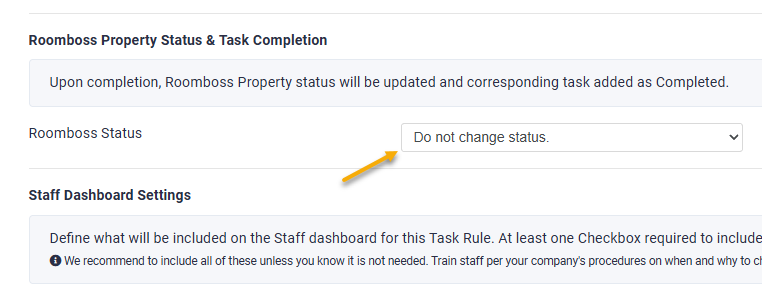
Operto Teams has the ability to update the housekeeping status for the associated ROOMBOSS property when a task is completed. Set each Operto Teams Task Rule to the associated ROOMBOSS status
Setup Instructions
Step 1:
Navigate to Setup --> Task Rules, then click Edit next to the desired task.
Step 2:
Scroll down to ROOMBOSS Property Status section and choose the Status from the dropdown menu.
When the tasks generated by this rule are completed on Staff Dashboards, the property will update to the selected status in ROOMBOSS.